
How to Fix 413 Request Entity Too Large Nginx Ubuntu
How to fix 413 request Entity too large Nginx Ubuntu error? In the high-stakes world of web development and server administration, few errors are as simultaneously straightforward and frustrating as the HTTP 413 "Request Entity Too Large" e...
11 min read
How to fix 413 request Entity too large Nginx Ubuntu error? In the high-stakes world of web development and server administration, few errors are as simultaneously straightforward and frustrating as the HTTP 413 "Request Entity Too Large" e...
- Understanding the Architecture: Where Does the Limitation Live?
- How to Fix 413 Request Entity Too Large in NGINX Kubernetes
- Troubleshooting and Diagnostics
How to fix 413 Request Entity Too large nginx kubernetes?
Modern day applications routinely handle substantial file uploads—from high-resolution media assets to comprehensive data exports. When deploying these applications on Kubernetes with NGINX as an ingress controller or reverse proxy, developers frequently encounter the frustrating 413 Request Entity Too Large error. This HTTP status code signifies that the server refuses to process a request because the request body exceeds configured size limitations.
The 413 Request Entity Too Large NGINX Kubernetes error isn't just an inconvenience; it can disrupt user workflows, hinder data migration processes, and create bottlenecks in content management systems. Understanding and resolving this issue requires navigating the layered architecture of Kubernetes, where configurations exist at multiple levels—from the NGINX controller itself down to individual application pods.
In this comprehensive guide on how to fix 413 request entity too large Nginx Kubernetes error, we will walk you through diagnosing and solving the issue with practical, production-tested solutions.
Understanding the Architecture: Where Does the Limitation Live?
Before diving into solutions, it's crucial to understand how request handling flows through a typical Kubernetes setup with NGINX:
- Client →
NGINX Ingress Controller→ Application Pod - Client →
NGINX Reverse Proxy (sidecar)→ Application Container
The size limitation can be enforced at multiple points along this path. The most common culprit is the NGINX ingress controller, which has default restrictions designed to protect against denial-of-service attacks. However, application-level NGINX configurations and even backend server settings can also impose their own limits.
How to Fix 413 Request Entity Too Large in NGINX Kubernetes
Solution 1: Configuring NGINX Ingress Controller for Larger Payloads
The primary solution for resolving How to fix 413 Request Entity Too Large NGINX Kubernetes involves modifying the NGINX ingress controller configuration. Here are the most effective approaches:
A. Ingress Resource Annotations (Recommended)
For most use cases, the simplest solution is to add annotations to your Ingress resource. This approach applies changes specifically to the routes that need larger upload limits, rather than globally affecting all routes.
apiVersion: networking.k8s.io/v1
kind: Ingress
metadata:
  name: file-upload-app
  annotations:
    nginx.ingress.kubernetes.io/proxy-body-size: "50m"
    nginx.ingress.kubernetes.io/client-max-body-size: "50m"
spec:
  rules:
  - host: uploads.example.com
    http:
      paths:
      - path: /
        pathType: Prefix
        backend:
          service:
            name: upload-service
            port:
              number: 80
Key Parameters:
proxy-body-size: Sets the maximum allowed size of the client request bodyclient-max-body-size: Specifically controls theclient_max_body_sizedirective in NGINX
Size Format Options:
"50m"- 50 megabytes"2g"- 2 gigabytes"0"- Disables checking of client request body size (use with caution)
B. ConfigMap Global Configuration
For cluster-wide adjustments affecting all ingresses, modify the NGINX ingress controller's ConfigMap:
apiVersion: v1
kind: ConfigMap
metadata:
  name: nginx-configuration
  namespace: ingress-nginx
data:
  proxy-body-size: "100m"
  client-max-body-size: "100m"
Apply the configuration:
kubectl apply -f nginx-config.yaml
kubectl rollout restart deployment -n ingress-nginx ingress-nginx-controller
Important Considerations:
- Global increases affect all applications using the ingress controller
- Consider security implications—larger limits increase exposure to certain attack vectors
- Monitor resource usage after increasing limits
Solution 2: Custom NGINX Configuration Snippets
For advanced scenarios requiring more granular control, NGINX ingress controller supports custom configuration snippets:
apiVersion: networking.k8s.io/v1
kind: Ingress
metadata:
  name: advanced-upload-app
  annotations:
    nginx.ingress.kubernetes.io/configuration-snippet: |
      client_max_body_size 200m;
      proxy_request_buffering off;
spec:
  rules:
  - host: advanced.example.com
    http:
      paths:
      - path: /
        pathType: Prefix
        backend:
          service:
            name: advanced-service
            port:
              number: 80
Why proxy_request_buffering off?
- Disables buffering of the entire request body before sending to backend
- Reduces memory pressure when handling large uploads
- Enables streaming of large files directly to backend applications
- Caution: Backend must be able to handle streamed requests
Solution 3: Application-Level NGINX Configuration
Sometimes, the 413 Request Entity Too Large NGINX Kubernetes error originates not from the ingress controller, but from NGINX instances running within application pods. This is common in microservices architectures where each service might have its own NGINX sidecar or container.
Application Pod NGINX Configuration:
# Inside nginx.conf in your application container
http {
    # Increase client body size limit
    client_max_body_size 50M;

    # Increase buffer sizes for large headers
    client_header_buffer_size 64k;
    large_client_header_buffers 4 128k;

    # Increase timeouts for large uploads
    client_body_timeout 300s;
    proxy_read_timeout 300s;

    server {
        listen 80;

        location /upload {
            # Additional upload-specific configurations
            client_max_body_size 200M;
        }
    }
}
Dockerfile Implementation:
FROM nginx:alpine
COPY nginx.conf /etc/nginx/nginx.conf
COPY custom-server.conf /etc/nginx/conf.d/
Solution 4: Backend Application Configuration
The 413 Request Entity Too Large Kubernetes error might sometimes be misinterpreted—the limitation could be in your backend application rather than NGINX. Different frameworks have their own request size limits:
Node.js/Express:
const express = require('express');
const app = express();

// Increase payload limit to 50MB
app.use(express.json({ limit: '50mb' }));
app.use(express.urlencoded({ limit: '50mb', extended: true }));
Python/Flask:
from flask import Flask

app = Flask(__name__)
app.config['MAX_CONTENT_LENGTH'] = 50 * 1024 * 1024  # 50MB
Spring Boot (application.properties):
# Increase Spring Boot's max file size and request size
spring.servlet.multipart.max-file-size=50MB
spring.servlet.multipart.max-request-size=50MB
Solution 5: Timeout Adjustments for Large Uploads
Large file uploads require not just size limit increases, but also timeout adjustments. Slow connections uploading large files might exceed default timeout values.
NGINX Ingress Timeout Annotations:
apiVersion: networking.k8s.io/v1
kind: Ingress
metadata:
  name: upload-app-with-timeouts
  annotations:
    nginx.ingress.kubernetes.io/proxy-body-size: "500m"
    nginx.ingress.kubernetes.io/proxy-connect-timeout: "75"
    nginx.ingress.kubernetes.io/proxy-read-timeout: "600"
    nginx.ingress.kubernetes.io/proxy-send-timeout: "600"
Solution 6: Helm Chart Configuration for NGINX Ingress Controller
If you deployed NGINX ingress controller via Helm, customize values during installation or upgrade:
# custom-values.yaml
controller:
  config:
    proxy-body-size: "100m"
    client-max-body-size: "100m"
    proxy-read-timeout: "600"
    proxy-send-timeout: "600"

  # Resource limits for handling larger payloads
  resources:
    requests:
      memory: "512Mi"
      cpu: "500m"
    limits:
      memory: "1Gi"
      cpu: "1000m"
Install or upgrade with:
helm upgrade --install ingress-nginx ingress-nginx/ingress-nginx \
  --namespace ingress-nginx \
  --values custom-values.yaml
Troubleshooting and Diagnostics
When facing 413 Request Entity Too Large NGINX Kubernetes error, systematic troubleshooting is essential:
1. Verify Current Configuration:
# Check ingress annotations
kubectl describe ingress <ingress-name>

# Check NGINX configmap
kubectl get configmap -n ingress-nginx nginx-configuration -o yaml

# View NGINX controller logs
kubectl logs -n ingress-nginx deployment/ingress-nginx-controller
2. Test with curl:
# Test upload with specific size
curl -X POST https://yourdomain.com/upload \
  -H "Content-Type: multipart/form-data" \
  -F "[email protected]" \
  -v
3. Check All Layers:
- Verify ingress controller configuration
- Check application pod NGINX configuration
- Validate backend application limits
- Confirm no network policies are interfering
Security Considerations and Best Practices
While increasing upload limits solves the immediate 413 Request Entity Too Large NGINX Kubernetes problem, consider these security implications:
- Gradual Increase Strategy: Start with reasonable limits based on actual needs, not maximum possible values.
- Path-Specific Limits: Apply larger limits only to specific upload endpoints rather than globally:
nginx.ingress.kubernetes.io/configuration-snippet: |
  location ~ ^/upload {
    client_max_body_size 200M;
  }
- Rate Limiting: Implement rate limiting alongside size increases:
nginx.ingress.kubernetes.io/limit-rate: "1024"
nginx.ingress.kubernetes.io/limit-rate-after: "10m"
- Malware Scanning: For file upload endpoints, integrate virus scanning in your application logic.
- Resource Monitoring: After increasing limits, monitor:
- NGINX ingress controller memory usage
- Node disk I/O
- Network bandwidth consumption
Advanced Scenario: Chunked Uploads as an Alternative
For extremely large files (GBs+), consider implementing chunked uploads at the application level instead of increasing NGINX limits indefinitely:
# Moderate NGINX configuration combined with client-side chunking
nginx.ingress.kubernetes.io/proxy-body-size: "100m"
nginx.ingress.kubernetes.io/proxy-buffering: "on"
nginx.ingress.kubernetes.io/proxy-buffer-size: "8k"
You may also like:
Conclusion
Resolving the 413 Request Entity Too Large Kubernetes error requires a multi-layered understanding of your infrastructure. The most effective approach typically involves:
- Starting with Ingress Annotations: Use targeted annotations for specific routes needing larger limits
- Considering Global Implications: Use ConfigMap changes sparingly, only when many services need increased limits
- Checking All Layers: Verify backend application and any internal NGINX configurations
- Implementing Security Controls: Balance increased limits with appropriate security measures
- Monitoring Performance: Watch resource utilization after making changes
Remember that the 413 Request Entity Too Large NGINX Kubernetes error is not just about removing a technical limitation, but about designing a robust file handling architecture that balances functionality, performance, and security in your Kubernetes environment.
By implementing the solutions outlined in this guide, you can transform the frustrating 413 Request Entity Too Large NGINX Kubernetes error from a blocking issue into a manageable configuration parameter, enabling your applications to handle the data requirements of modern users while maintaining system stability and security.
You can also check NGINX modules for the reference.
Rajesh Ray
I’m Rajesh Rai, a full-stack developer, Linux administrator, and technology enthusiast passionate about making complex technology easier to understand and use.
Related Technical Guides
Tested runbooks, server administration walkthroughs, and troubleshooting guides
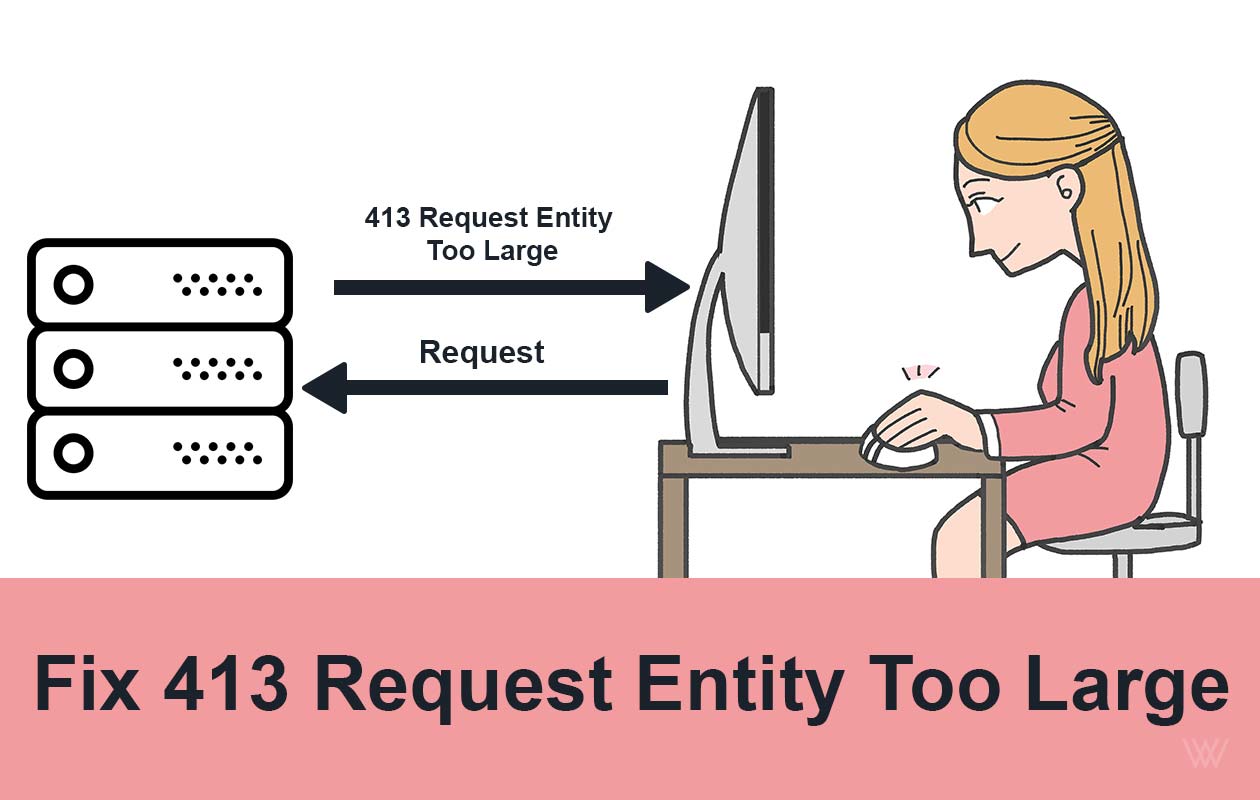
Fix 413 Request Entity Too Large Error on Nginx & Apache
Ever tried uploading a file or submitting a form, only to be greeted by the frustrating 413 Request Entity Too Large error? You’re not alone. This issue commonly pops up when your server thinks the data you’re sending is “too big” to handle...

How to Fix 429 Too Many Requests Nginx Error: 10 Easy Ways
The "429 Too Many Requests Nginx" error is a common issue faced by web administrators and developers. This error occurs when a user sends too many requests to a server in a given amount of time, and the server responds with a 429 status cod...
How to Fix 414 URI Too Large Nginx Error: 8 Easy Steps
The 414 URI Too Large Nginx error is a common issue that occurs when the length of a URL exceeds the default limit set by the Nginx web server. This error can disrupt user experience and prevent access to your website or application. In thi...

How to Fix 404 Not Found Nginx Error: 20 Easy Ways
The "404 Not Found Nginx" error is a common issue that website administrators and developers encounter when using the Nginx web server. This error indicates that the server is unable to locate the requested resource, which could be a webpag...

How to Fix 400 Bad Request Error: 10 Easy Ways
Encountering an HTTP error can be frustrating, especially when the cause is unclear. One such error is the "400 Bad Request Error". This issue typically arises due to client-side problems, including incorrect syntax, invalid requests, or la...

How to Fix Error 520: Web Server Is Returning an Unknown Error
How to Fix Error 520? It's a frustrating and complex error code. It indicates that the web page is not reachable. There could be several reasons behind this error code 520. This article covers, what this error code means, why it occurs and ...

How to Install Lighttpd on Ubuntu 20.04 LTS - 5 Easy Steps
Introduction Lighttpd is a free, open-source web server which is also known as Lighty. It is a fast, secure, compliant, and extremely flexible webserver optimized for speed. Compared to other web-servers, Lighttpd consumes very less server ...

How to Increase File Upload Size in Nginx - 3 Simple Steps
By default, the maximum file upload size in NGINX is 1MB. If a user tries to upload a file bigger than this, the Nginx throws a “ 413 Request Entity Too Large ” error. So in this tutorial, we will learn how to increase file upload size in N...

How to Install Nginx on CentOS 7: 4 Easy Steps
Nginx is a high performance web server software. Many big brands like Google, Facebook, Microsoft, Apple, Yahoo! and LinkedIn prefers Nginx over Apache and any other web server. And why not, it is the most flexible and lightweight web serve...

How To Install NGINX on Ubuntu 18.04
Nginx is one of the most popular web servers. It is responsible for serving some of the largest websites and web apps on the internet. In this guide, we’ll discuss how to install Nginx on Ubuntu 18.04 server. How To Install NGINX on Ubuntu ...
Join the Conversation & Perspective
Have thoughts, counterpoints, or reflections on this story? Engage directly with fellow readers and editorial contributors.
No comments on this guide yet. Be the first to share your thoughts or ask a question!